
SGK Injector APK
NOW
23MB
V1.112.5
Android 5+
4700+

Description
The SGK Injector APK is a gaming utility that lets users explore additional customisation options. Its menu provides a simple way to browse the available settings.
Players can review the tool’s functions and check whether they suit their needs. The available options may vary depending on the app version and Android device.
Before installing check app permissions and security details. Unofficial tools may carry risks or violate game rules potentially leading to account restrictions.
What Is the SGK Injector APK?
The SGK Injector APK is an Android utility associated with Free Fire customisation. It provides a separate interface where users can explore the options included in the application. The available tools and functions may differ between versions so users should check the app details before installing it.
Its menu-based design may help users browse the available settings without needing advanced technical skills. However not every feature is guaranteed to work on all devices. Before using the utility consider its security requested permissions and Free Fire’s rules as unauthorised tools may put your game account at risk.
Key Features of the SGK Injector
Streamlined Control Interface
The application features a clutter free design allowing users to locate key options almost instantly. This minimal layout ensures that even first-time users can understand the menu without reading lengthy guides.
Instant Option Access
Instead of forcing players to toggle settings across multiple submenus SGK Injector APK brings core functions onto a single screen for quicker testing and seamless adjustments.
Minimal System Resource Usage
Built as a lightweight APK file the utility consumes minimal storage and system memory. This helps low end Android devices run the app without causing severe system freezes.
Intuitive Navigation
The user journey inside the app is straightforward. Clear labels and accessible switches make switching between different customisation categories quick and painless.
Tailored Control Setup
Depending on the version downloaded the tool may allow users to adjust sensitivity levels and control layouts to better suit their personal playstyle.
Focused Gaming Utilities
The app concentrates strictly on functions related to battle royale gameplay avoiding unnecessary bloatware heavy background services or unrelated system tweaks.
Accessible for New Users
With simple icons and straightforward instructions even players who lack technical expertise can navigate the utility without difficulty.
Why Is the SGK Injector APK Popular Among Free Fire Players?
The SGK Injector APK attracts curiosity because it offers a separate menu for checking the functions available in the utility. Its simple layout may help users browse these options without dealing with complicated menus.
Another point of interest is the ability to review different settings in one place. Users can explore the interface and learn about its features before deciding whether the tool meets their needs. However the actual functions depend on the version being used.
Compatibility and safety also matter. Results can vary across Android devices and unofficial injectors may cause security issues or violate Free Fire rules. Players should review the risks carefully before installing or using such tools.
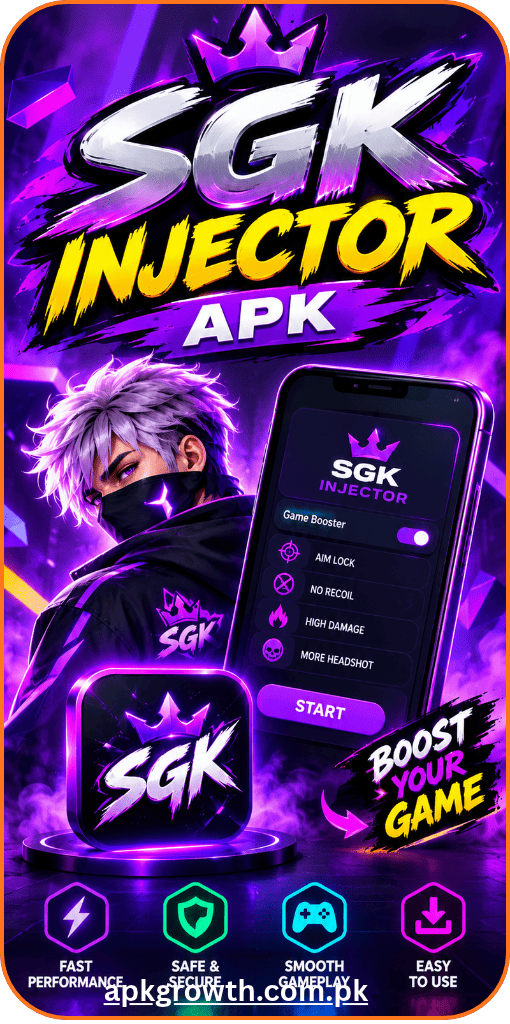
Key Highlights of the SGK Injector APK
The SGK Injector APK gives users a separate interface to explore gaming-related options. Its menu-based design helps keep the available settings organised making it easier to browse the features without unnecessary confusion.
The tool may change with new releases so the available functions are not always the same. Users should check the version details instead of assuming every option will be included.
Before trying any setting learn what it does and review the app’s permissions. Avoid unknown features that could affect device security or conflict with Free Fire’s rules.
Android Compatibility and Basic Requirements
Before installing any Android gaming utility users should make sure their phone has enough resources to run it comfortably. Storage space memory Android version and overall device performance can all affect how an application behaves.
| Requirement | Suggested Level |
|---|---|
| Android Version | Compatible modern Android version |
| RAM | 3 GB or more |
| Free Storage | At least 200 MB |
| Internet | Stable connection when required |
| Processor | Modern Android chipset |
| Security | Updated Android protection |
Safety Tips Before Using the SGK Injector APK:
Before installing the SGK Injector APK check its source and review the permissions it requests. Avoid granting access that seems unnecessary and do not install files that trigger security warnings.
Keep your personal information protected. Never share your Free Fire login details passwords or verification codes with unknown apps or websites.
Remember that the SGK Injector is not an official Free Fire tool. Using unauthorised utilities may violate game policies and put your account at risk. Review the potential risks carefully and consider sticking to the game’s official settings for a safer experience.
Important Safety Practices
A few simple habits can make the experience safer:
- Check the Android version before installation.
- Keep sufficient free storage on the phone.
- Review every permission carefully.
- Avoid suspicious or unknown files.
- Keep your account information private.
- Do not share passwords or verification codes.
- Close unnecessary applications before testing.
- Stop using the tool if unusual activity appears.
- Keep Android security features updated.
- Follow the rules and fair-play policies of Free Fire.
Positive Points of SGK Injector APK
SGK Injector APK may be useful for players who prefer a simple interface and want to explore different gaming-related options. Its main strengths can include easy navigation and a compact layout.
Main Benefits
- Simple interface
- Easy-to-find options
- Beginner-friendly layout
- Compact design
- Quick navigation
- Several settings in one place
- Easy exploration of available controls
The actual experience can depend on the device and version being used.
Possible Drawbacks to Consider
Like other external gaming utilities SGK Injector APK also has some limitations. Not every function will necessarily work on every device. Updates to Free Fire or Android can also affect compatibility.
Main Limitations
- Features may change between releases
- Device compatibility can vary
- Some options may not work consistently
- External tools can create account concerns
- Security should be checked carefully
- Performance may differ between phones
How to Explore the SGK Injector APK Carefully?
Before trying the SGK Injector APK check your phone’s compatibility and review the application’s permissions. Make sure you understand what the tool offers instead of relying on unverified claims about its features.
Avoid enabling unknown settings or granting unnecessary access. Keep your Free Fire login information private and remember that unofficial tools may create account or security risks.
If you notice phone overheating frequent crashes suspicious pop ups or unusual activity stop using the application and uninstall it. Taking these precautions can help protect your device and personal information.
Frequently Asked Questions
What does the SGK Injector APK do?
SGK Injector APK is an Android gaming utility that provides users with different game-related options through a separate interface. Available functions can vary between versions.
Is SGK Injector APK an official Free Fire application?
No. SGK Injector is not an official application from Garena. Users should understand the possible risks before using an external utility with Free Fire.
Can SGK Injector APK work on every Android phone?
Not necessarily. Performance and compatibility can depend on the Android version hardware available storage and the specific version of the application.
Is it safe to share my Free Fire password with SGK Injector?
No. Users should never share passwords verification codes or other sensitive account information with an unfamiliar application.
Why can SGK Injector features change?
External applications can receive updates that modify add or remove certain functions. Game and Android updates can also affect how the utility behaves.
Final Thoughts on SGK Injector APK
SGK Injector APK gives Free Fire players another way to explore gaming-related controls through a simple Android interface. Its clean layout and accessible options may appeal to users who enjoy testing different settings and learning how various controls work.
Still users should look beyond the features before installing any external utility. Device compatibility permissions security and game policies are all important factors to consider. Features can also change when a new version is released so users should avoid relying on outdated information.