
SadaPay App Enjoy Easy Payments Without Banking Hassles
NOW
16.8 MB
v1.3
Android 6+
99+

Description
SadaPay App is a digital wallet designed to make everyday money management easier through a smartphone. It allows eligible users to send and receive local payments and use debit card services without visiting a bank branch for every transaction. The app also gives users quick access to their account details and payment activities. According to its official website SadaPay operates under the regulation of the State Bank of Pakistan.
Before creating an account it is important to understand how the service works. Users should learn about identity verification available debit cards transaction limits service charges and account security. Knowing these details can help avoid confusion when using the app for daily payments.
This guide explains everything you need to know about the SadaPay App including account registration money transfers receiving payments and important features. It also highlights useful points to check before using the service so you can decide whether it meets your financial needs.
What Is the SadaPay App?
SadaPay is a modern digital wallet in Pakistan that makes daily money management simple and convenient. It allows eligible users to handle different payment activities directly from their smartphones. Instead of visiting a bank for basic transactions users can send money receive payments check their balance and review transaction history through the app. SadaPay also provides virtual and physical Mastercard debit card options subject to account eligibility and availability.
The app brings several everyday financial services together in one place. Its simple interface helps users manage payments without complicated banking steps. However before opening an account it is important to understand the available services verification requirements transaction limits and possible charges. Users should also review the latest official terms and security guidelines to make informed decisions.
How Does the SadaPay App Work in Pakistan?
SadaPay App provides a simple way to manage everyday financial activities through a mobile phone. Once users complete the registration process and pass the required identity verification they can access the services available on their accounts. These services may include sending money receiving payments checking balances and using supported debit card options.
For example if someone wants to send you money they can use an available transfer method to deposit the amount into your SadaPay account. After receiving the payment you can view the transaction details and check your updated balance. You can then use the available funds for another transfer or make an eligible payment with your debit card.
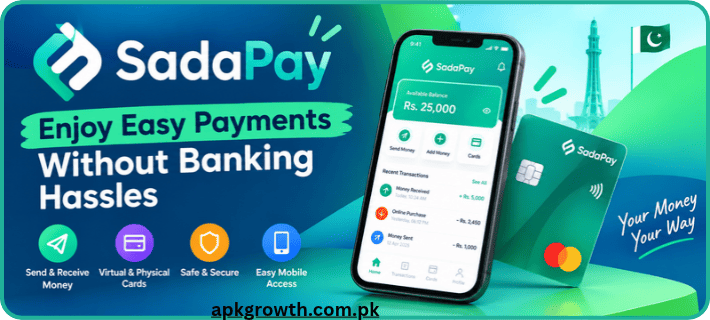
Main Features of SadaPay App
Simple Mobile Account Management
SadaPay app lets users manage their accounts through a mobile app without visiting a bank branch. You can check your balance and review account activity whenever needed.
Local Money Transfers
Users can send and receive money through supported local transfer methods. Always check the recipient’s details before confirming a payment.
Virtual Debit Card
SadaPay APP offers a virtual Mastercard for eligible users to make supported online payments. It can be useful for shopping websites and digital subscriptions.
Physical Mastercard
Eligible users can order a physical Mastercard for supported in-store payments and ATM withdrawals. Check the latest card charges and availability before ordering.
Transaction History
The app allows users to review their recorded payments and incoming transfers. This feature can help you track expenses and identify unfamiliar transactions.
Online Shopping Support
The virtual or physical card can be used for eligible purchases at merchants that accept it. Payment approval may depend on your balance card settings and merchant restrictions.
Digital Access to Your Money
Users can access supported account services directly from their smartphones. A secure screen lock and updated app can help protect account access.
How to Open a SadaPay App Account?
Enter Your Mobile Number
Open the app and enter your mobile number when requested. Make sure you use a number that you can access because verification may require a code or another confirmation step.
Keep your SIM active during registration so you can receive any required messages.
Provide Your Identity Information
The registration process may ask for your CNIC details and other information needed to verify your identity.
Enter your details carefully. Your name and other information should match the relevant identity documents. Incorrect information can delay verification or lead to a request for further checks.
Complete Identity Verification
Follow the identity verification instructions displayed in the app. Depending on the current process this may include providing a photograph or completing a selfie check.
Use clear images and make sure the information is readable. Do not send your CNIC or personal photographs to unofficial social media accounts claiming to help with account approval.
Wait for Confirmation
After submitting the required information wait for the verification result. Some applications may be approved quickly while others may need additional review.
If verification takes longer than expected check the app for instructions and contact official support if necessary.
Secure Your Account
Once your account becomes available review the security settings. Create a strong device passcode and protect any account PIN or login credentials.
Who Should Consider Using the SadaPay App?
The SadaPay app can be a useful choice for students office workers freelancers and online shoppers who prefer managing daily payments through their smartphones. It allows eligible users to access supported money transfers check account activity and use available debit card services without visiting a bank branch for routine transactions. People who frequently make online purchases or receive digital payments may also find its features convenient.
However SadaPay may not meet everyone’s financial needs. Users who regularly require cash deposits in-person banking assistance or specialised financial products should explore other available services before making a decision. Comparing account features charges and limitations can help you choose an option that matches your daily requirements.
How to Add Money to SadaPay App?
Adding money to your SadaPay account can be simple when you use a supported payment method. One common option is to receive funds from another bank account or financial service. Open the SadaPay app and find your account details. Share the required information with the sender so they can transfer the amount to your wallet. Always double-check the recipient details before confirming the payment.
Once the transfer is complete open the app and check your available balance and transaction history. If the money does not appear ask the sender to check the payment status and transaction reference number. For further assistance contact SadaPay through its official support channels.
How to Send Money From SadaPay App?
Sending money is generally straightforward when the recipient’s details are correct.
- Open the SadaPay App and sign in securely.
- Select the available money transfer option.
- Enter the recipient’s required account details.
- Type the amount you want to send.
- Review the recipient information and any displayed charges.
- Confirm the transfer only after checking the details.
- Save the confirmation or transaction reference.
SadaPay App Fees and Charges
SadaPay offers a digital account with several cost-friendly features for everyday money management. According to its published Schedule of Charges the personal account has no account opening fee annual account fee or minimum balance requirement. This makes it easier for eligible users to get started without paying regular account maintenance costs.
However not every service is necessarily free. Physical debit card issuance card replacement and certain transactions may involve additional charges depending on the applicable terms. Before using a particular service review the latest fee schedule on the official SadaPay website so you can understand the costs and avoid unexpected deductions.
SadaPay App Account Limits Explained
SadaPay sets certain limits on account activities to help manage transactions and maintain account security. These restrictions may apply to sending money receiving payments ATM withdrawals and card spending. The allowed amount can vary depending on your verification status and the type of transaction. Therefore understanding these limits is important before using your account for regular payments or larger transfers.
Users can check their current account limits through the official SadaPay Help Center. It is a good idea to review the latest guidelines before making a large payment or planning multiple transfers. This can help prevent declined transactions and unexpected delays. Always follow the updated account requirements because limits and service conditions may change over time.
How to Withdraw Money From SadaPay App?
Before making a withdrawal check your available balance and the applicable withdrawal limit. Also review any ATM fee displayed by the service or ATM operator.
Follow these general steps:
- Confirm that your card is active and available for ATM use.
- Visit an ATM that supports your card.
- Insert or tap the card as instructed by the ATM.
- Enter your PIN privately.
- Select the withdrawal option and enter the amount.
- Collect your cash and card then check your transaction history.
Can You Use the SadaPay App for International Payments?
SadaPay provides Mastercard debit card options that may allow eligible users to make payments on international websites and supported digital platforms. This can be useful for online shopping subscriptions and purchasing services from overseas businesses. However international payment acceptance depends on the merchant card settings and the type of transaction. Some websites may not accept cards issued in Pakistan or may apply their own payment restrictions.
Before making an overseas payment check the applicable currency conversion rate and any additional taxes or charges. The final amount deducted from your account may differ from the price displayed on the merchant’s website. Reviewing these details can help you manage your spending and avoid unexpected payment costs.
Is SadaPay App Safe to Use?
Account security is an important factor when choosing a digital payment service. SadaPay provides a regulated financial service in Pakistan and states that it operates under the oversight of the State Bank of Pakistan. The company is also registered with the Securities and Exchange Commission of Pakistan. Users can review its official regulatory information to understand the service and its operating status.
For better account protection, use a strong phone password and never share your PIN, OTP, or login details with anyone. Always check transaction notifications and report suspicious activity through official support channels. These simple precautions can help reduce security risks while using the app for everyday payments.
SadaPay App vs Traditional Banking
| Feature | SadaPay | Traditional bank |
|---|---|---|
| Account access | Primarily through a mobile app | App website and sometimes branches |
| Local payments | Supported transfer methods | Depends on the bank and account |
| Debit card | Available options depend on eligibility | Card options vary by bank |
| Cash services | Supported ATM access where available | May include ATMs and branch services |
| Other financial products | Depends on available services | May offer loans deposits and other products |
| Account requirements | Follow current SadaPay verification rules | Vary by bank and account type |
Common SadaPay App Problems and Their Solutions
SadaPay Verification Is Taking Too Long
Start by checking whether the app has requested additional information. Make sure the details you submitted are accurate and the required images are clear.
If there is no update contact official support through the app or the verified website. Avoid people who promise guaranteed account approval in exchange for your CNIC details or payment.
Money Has Not Arrived
Ask the sender to check whether the transfer was completed successfully. Confirm the recipient details and request the transaction reference.
Some transfers may take longer because of processing checks or technical issues. If the expected time has passed contact support and share the relevant reference securely.
A Card Payment Was Declined
Check your available balance card status and transaction settings. The merchant may not accept your card or may have additional payment requirements.
For international payments review the current card terms and any applicable restrictions. Do not repeatedly retry a transaction without understanding why it failed.
The App Is Not Opening
Check your internet connection and see whether an update is available from the official app store. Restarting your phone may also help with a temporary technical problem.
If the issue continues use official support channels. Never install an unknown application that claims to repair your financial account
Frequently Asked Questions
What is SadaPay used for?
SadaPay is a digital financial service used to manage supported money transfers and card payments through a mobile application. The features available to you depend on your account status and the current service terms.
Is SadaPay available in Pakistan?
Yes. SadaPay is a digital financial service operating in Pakistan under the regulatory framework described by the company and the State Bank of Pakistan. Users should check the current eligibility requirements before registering.
How can I create a SadaPay account?
Download the official app enter your mobile number and provide the required identity information. Complete the verification steps shown in the application and wait for confirmation.
Final Thoughts
SadaPay App offers a convenient way to handle everyday financial activities without depending on traditional banking methods for every payment. Its digital wallet money transfer options and Mastercard services give eligible users more flexibility when managing their money. The simple mobile interface also makes it easier to check balances and review transaction records whenever needed.
Before opening an account take time to understand the verification process transaction limits card options and applicable charges. Always download the app from a trusted source and follow the official security guidelines. With proper precautions and a clear understanding of its services SadaPay can be a useful option for managing routine digital payments in Pakistan.