
KS Injector APK Powerful Customisation Features and Possible Dangers 2026
now
18MB
V1.20
Android 6+
5.4 k
Description
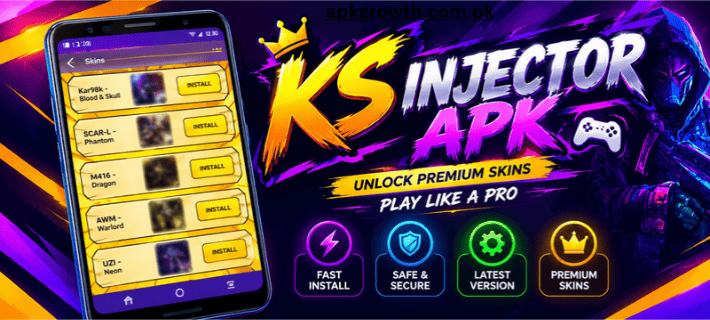
KS Injector APK is an Android application that focuses on game appearance and skin customisation. It may help users explore alternative skin designs and configuration files for compatible games. Instead of concentrating on gameplay changes the app centres on visual variety and personal style. Players who enjoy experimenting with different designs may find it interesting but the available options depend on the supported game and the files provided.
The available information identifies TEKDEV as the developer of KS Injector APK with version 1.20 listed for devices running Android 5.0 or newer. Before trying the app take a moment to check its compatibility installation requirements and available customisation tools. Not every skin file will work with every game and features may differ between versions. For safer use download files only from sources you can assess review app permissions and scan the APK before installation.
What Is KS Injector APK?
KS Injector APK is an Android application package used to install software on compatible devices. When an app comes from outside an official app store users should pay extra attention to the source requested permissions and file integrity. The name of an application alone does not confirm that it is safe or officially supported by a game developer.
KS Injector APK may interest players who enjoy experimenting with game appearances. However users should not assume that every skin is available free or compatible with all games. Actual functionality depends on verified app features and the supported game environment.
KS Injector APK Technical Specifications
The listed Android 5.0 requirement provides a starting point for checking device compatibility. However meeting the minimum system requirement does not guarantee that every feature will work correctly. Hardware limitations Android security settings file formats and game updates can also affect performance.
Users should check the version number file size and release information before downloading. If the publisher does not provide clear details consider that a reason to be cautious.
Explore the Main Features of the KS Injector APK
Explore Different Skin Designs
Skin customisation allows players to explore alternative appearances for supported game elements. These designs may offer a different visual style from the default options available in a game.
The actual selection depends on the available files and the game being used. Users should check whether a design matches their game version before attempting to apply it.
Support for Customisation Files
Some customisation tools work with external configuration or resource files. These files may contain settings or visual assets required for a particular design.
Not every file will work with every application. Always read the file instructions and avoid resources that require suspicious permissions or unrelated downloads.
Straightforward Navigation
A clear interface can make an application easier to understand especially for users who are new to Android customisation tools. Simple menus and readable instructions help users identify available options.
The actual interface of the KS Injector APK should be checked in the version being reviewed. Do not assume that every release has the same layout or tools.
Skin Resource Discovery
Users may be interested in finding new visual resources for compatible games. However the availability of a skin library or built-in download feature must be confirmed in the actual application.
If the app relies on external files check their source before opening or importing them. A file should never be considered safe simply because it carries a familiar skin name.
Lightweight Installation
Some users prefer applications that take up less storage space. The exact size of the KS Injector APK should be confirmed from the APK file or a reliable download listing before you publish a number.
Remember that the final storage requirement may increase after installation. Additional files temporary data and cached resources can also use space.
Compatibility Checks
Compatibility is important when working with game-related customisation tools. A skin designed for an older release may not work with a newer game update.
Before using a custom file check its supported game version and follow the instructions provided by a reliable source. Avoid forcing incompatible files into the game.
Why Do Players Explore KS Injector APK?
Mobile gamers often enjoy making their favourite games feel more personal. Different visual styles can offer a change from standard character appearances or other default designs. This interest may lead some users to explore customisation applications.
Another reason is curiosity. Players may want to understand how external skin files work and whether their devices support a particular design. However the quality and reliability of third-party tools can vary so users should research an application before installing it.
Things to Check Before Downloading
- Confirm the app name and listed version.
- Review the developer information where available.
- Check the minimum Android requirement.
- Read the permissions requested by the application.
- Look for clear release details and a trustworthy source.
- Avoid files that trigger security warnings or request unnecessary access.
- Back up important data before testing unfamiliar software.
How to Get the APK File?
- Search for reliable information about KS Injector APK and its publisher.
- Confirm that the version details match the application you intend to install.
- Read the available installation instructions.
- Download the file only if you can assess the source and trust it.
- Scan the downloaded file with a reputable security tool.
- Stop if the file appears suspicious or its details do not match the listing.
How to Install KS Injector APK on Android?
Check the Downloaded File
Open your device’s file manager and locate the downloaded APK. Check the filename and file details against the source listing. Do not continue if the file appears incomplete or suspicious.
Review Android Installation Settings
Android may ask you to allow installation from the browser or file manager that downloaded the APK. Only consider enabling this permission if you have assessed the source and decided to proceed.
Keep the permission restricted to the relevant application and turn it off again when it is no longer needed.
Start the Installation
Tap the APK file and review the installation prompt. If Android displays a security warning do not ignore it automatically. Investigate the warning before deciding what to do.
Open and Review the App
After installation open the application only if you are comfortable with its source and requested permissions. Check the interface and avoid granting access that does not make sense for its stated purpose.
How to Explore Skin Options in KS Injector APK?
Review the Main Menu
Open the app and look for its available sections. Read the instructions before selecting any file or customisation option.
Identify Supported Resources
Check whether the application lists skin designs or configuration files. If no resources appear the app may require a supported game version or a different setup.
Confirm File Compatibility
Read the file information and make sure it matches the relevant game version. Avoid files that have unclear origins or require unrelated applications to function.
Which Android Devices Support the KS Injector APK?
The available details list Android 5.0 or later as the minimum requirement for version 1.20. This does not mean the application has been tested successfully on every device running that version.
Device performance may depend on available storage memory processor capability and the Android release. Game updates may also change whether an external customisation file works.
Is KS Injector APK Safe for Android?
There is no reliable way to declare every KS Injector APK file safe based only on its name. Different websites may distribute files with similar names and their contents may differ. Safety depends on the actual file its source its permissions and its behaviour after installation.
Before using the app scan the file with a reputable mobile security tool. Review its permissions and avoid granting access to contacts messages accessibility services or other sensitive features unless there is a clear and justified need. A security scan can help identify known threats but it cannot guarantee that a file is harmless.
Security and Privacy Tips for Users:
- Use sources with clear publisher and version information.
- Avoid APK files promoted through misleading pop-ups.
- Never share your game password with a skin tool.
- Do not provide payment details to unlock unverified features.
- Review permissions before allowing access.
- Keep Android and your security software updated.
- Remove an application if it behaves unexpectedly.
- Back up important files before making significant changes.
Helpful Tips for Android Users in Pakistan:
First use a stable internet connection and avoid download pages filled with misleading advertisements. Check the file details before spending mobile data on a large or unfamiliar download.
Second protect your gaming account. Never share passwords or verification codes with an application claiming to unlock skins. Use a strong unique password and enable the game’s available security features.
Third check your device’s available storage and Android version. Older phones may have limited space or may not support the latest game updates. Keep your system updated whenever updates are available for your device.
Frequently Asked Questions
What Is the Listed Version of KS Injector APK?
The available information lists version 1.20. This should not automatically be treated as the newest release in 2026. Check a reliable source for current version information before downloading.
Does KS Injector APK Support Android 5.0?
The listed requirement for version 1.20 is Android 5.0 or later. Actual functionality may still vary depending on the device application build and supported game.
Can KS Injector APK Unlock Every Game Skin?
There is no verified information showing that KS Injector can unlock every skin. Availability depends on the app’s actual features supported resources and the rules of the relevant game.
Is It Safe to Use KS Injector APK With a Gaming Account?
Safety cannot be guaranteed without examining the actual application. Review the file source scan the APK check permissions and read the game’s rules. Avoid external tools that request your password or violate the game’s policies.
Final Verdict:
KS Injector APK may interest Android users who enjoy exploring alternative visual designs for supported games. The available information identifies TEKDEV as its developer and lists version 1.20 for Android 5.0 or later. However these details alone do not confirm the app’s current release status complete feature set or security.
Before installing it check the source verify compatibility and review the permissions carefully. Keep in mind that custom skin files may not work with every game and external tools can carry account or security risks. If your main goal is to personalise a game’s appearance start with its official options and consider external resources only when their source and behaviour can be assessed.